Watch the comparison on YouTube →
🏠 Smart Home Ecosystems — Apple Home vs Alexa vs Home Assistant
Three ways to build a smart home. Which one makes the most sense?
Learn it. Compare it. Put it into practice.
Building a smart home sounds simple enough.
Buy a few smart bulbs, add a thermostat, connect some sensors, and suddenly your house is supposed to be smarter than you are.
At least that's how the marketing makes it sound.
But before you start buying devices, there's an important decision to make.
Which smart home ecosystem should you build around?
Apple Home, Amazon Alexa, and Home Assistant all offer ways to connect and control smart home devices.
They just approach the problem differently.
This guide explores the strengths, limitations, and practical differences between these three platforms.
And here's something worth remembering:
You don't necessarily have to choose just one.
📚 Explore This Guide
- 🎬 Watch the Comparison
- ⚖️ Ecosystem Comparison
- 🍎 Apple Home
- 🔊 Amazon Alexa
- 🏠 Home Assistant
- 🔗 Combining Ecosystems
- 🔒 Privacy & Reliability
- 🎯 Which Should You Choose?
- 🛒 Getting Started
🎬 Watch the Comparison
Apple Home vs Alexa vs Home Assistant — Which Smart Home Ecosystem Is Better?
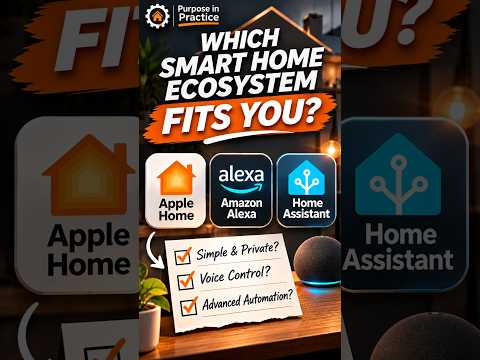
▶ Watch the Full Comparison on YouTube
In this video, I compare three popular approaches to building a smart home.
We look at ease of use, automation, compatibility, privacy, local control, and the amount of effort required to keep everything working.
The goal isn't to convince everyone to use the same platform.
It's to help you understand which one fits your needs.
⚖️ Smart Home Ecosystem Comparison
| Feature | 🍎 Apple Home | 🔊 Amazon Alexa | 🏠 Home Assistant |
|---|---|---|---|
| Best For | Apple households | Voice-first smart homes | Advanced automation and customization |
| Setup Difficulty | Easy | Easy | Moderate to advanced |
| Primary Interface | Apple Home app and Siri | Alexa app and voice | Web interface, mobile app, dashboards |
| Voice Assistant | Siri | Alexa | Assist and supported external assistants |
| Automation | Scenes and automations | Routines | Extensive automation engine |
| Device Compatibility | HomeKit and supported Matter devices | Alexa-compatible devices and supported Matter devices | Broad integration ecosystem |
| Local Control | Supported for compatible devices | Varies by device and feature | Strong support for local integrations |
| Cloud Dependency | Varies by feature | Significant for many features | Depends on integrations and configuration |
| Custom Dashboards | Limited | Limited | Extensive |
| DIY Hardware | Limited direct support | Limited direct support | ESPHome, MQTT, and other integrations |
| Dedicated Hardware | Compatible Apple home hub for full features | Compatible Echo or other Alexa devices | Home Assistant host |
| Learning Curve | Low | Low | Higher |
| Customization | Moderate | Moderate | Extensive |
Important: These are general platform differences. Individual devices, integrations, and supported features can change.
🍎 Apple Home
A smart home that fits into the Apple ecosystem
Apple Home is designed to make controlling compatible smart home devices straightforward.
If your household already uses iPhones, Apple Watches, HomePods, and Apple TVs, it can be an attractive option.
The Home app provides a central interface for compatible accessories, scenes, and automations.
What I Like
- Clean, approachable interface
- Integration with Apple devices
- Siri voice control
- HomeKit and Matter support
- Scenes and household automations
- Local communication with supported accessories
- HomeKit Secure Video with compatible equipment and service requirements
Things to Consider
- Requires compatible accessories or bridges
- Advanced automation options are more limited than Home Assistant
- Some functionality requires a compatible Apple home hub
- Less flexibility for custom DIY hardware
- Certain services and features have additional requirements
My take: Apple Home is a strong choice for households that already use Apple products and want a relatively straightforward smart home experience.
Sometimes convenience is worth more than having another hundred configuration options.
🔊 Amazon Alexa
Voice control at the center of the experience
Amazon Alexa takes a somewhat different approach.
Rather than focusing primarily on a home control dashboard, Alexa has traditionally emphasized voice interaction and connected services.
Echo speakers and displays can provide convenient ways to control compatible lights, switches, thermostats, and other devices.
What I Like
- Convenient voice control
- Broad selection of compatible products
- Alexa Routines
- Echo speakers and displays
- Integration with supported third-party services
- Matter support on compatible devices
- Straightforward setup for many consumer smart home products
Things to Consider
- Many features rely on internet connectivity
- Cloud services play a significant role
- Complex automation is more limited than Home Assistant
- Some features depend on specific Echo hardware
- Third-party integrations may change over time
- Privacy preferences and microphone use deserve consideration
My take: Alexa is attractive when voice control is your priority and you want a relatively simple way to connect compatible smart home products.
It's especially useful for households that enjoy controlling devices without opening an app.
🏠 Home Assistant
When you want your smart home to do things your way
Home Assistant approaches smart home technology differently.
Instead of centering everything around a single company's hardware ecosystem, Home Assistant provides a platform for connecting and automating devices from many manufacturers.
And this is where things get interesting.
You can create automations involving sensors, thermostats, lighting, security systems, energy monitoring, and custom hardware.
You can also build your own devices using platforms like ESPHome.
What I Like
- Open-source platform
- Extensive integrations
- Local-first design
- Powerful automation capabilities
- Custom dashboards
- ESPHome and MQTT support
- Flexible hardware choices
- Integration with multiple smart home ecosystems
- No required subscription for the core software
Things to Consider
- Requires a compatible host
- More configuration and maintenance
- Some integrations depend on cloud services
- Troubleshooting can require technical knowledge
- Backups and system reliability are your responsibility
- Advanced automations take time to learn
My take: Home Assistant is my preferred platform when I want flexibility and control over how my home operates.
But I also enjoy building electronics, writing automations, and figuring out why something isn't working.
Not everyone wants their house to become another IT project.
And that's perfectly reasonable.
🔗 Can You Combine These Ecosystems?
Yes. And sometimes that's the best approach.
One of the most useful things about Home Assistant is that it can work alongside other smart home ecosystems.
You don't necessarily have to abandon Apple Home or Alexa to use Home Assistant.
For example, you could use:
- Home Assistant for automations, sensors, and device integration
- Apple Home for convenient control from iPhones and Siri
- Alexa for voice control through Echo devices
Home Assistant can expose supported devices to Apple Home using its HomeKit Bridge integration.
It can also expose supported devices to Alexa through Home Assistant Cloud or a more involved manual configuration.
An Example Setup
Imagine a motion sensor connected to Home Assistant.
Home Assistant uses that sensor to control lighting based on occupancy, time of day, and other conditions.
Meanwhile, you can still control compatible lights through Siri or Alexa.
The automation happens in Home Assistant.
The voice interface happens through the ecosystem you prefer.
That's the approach I find most interesting: use the strengths of each platform rather than forcing one to do everything.
Important Limitations
Not every feature is exposed between ecosystems.
A device might support basic on/off control through a bridge without exposing every advanced setting.
Some integrations also require subscriptions, cloud connectivity, or additional configuration.
🔒 Privacy, Local Control & Reliability
These are important considerations when choosing a smart home ecosystem.
Local Control
Local control means compatible devices can communicate and operate without relying on an external cloud service for every action.
Home Assistant places significant emphasis on local control.
Apple Home also supports local communication with compatible devices.
Alexa supports some local functionality, but many voice and service features rely on Amazon's cloud.
Internet Outages
A smart home shouldn't automatically become useless because your internet connection stops working.
But what survives an outage depends on the devices and services involved.
For example:
- A local Home Assistant automation may continue operating without internet access.
- A cloud-dependent integration may stop working.
- Remote access may become unavailable.
- Some voice assistant functions may be interrupted.
- A compatible local Apple Home automation may continue operating.
These outcomes depend on the specific configuration.
Power Outages
Local control doesn't eliminate the need for electricity.
Your smart home host, router, switches, coordinators, and other required devices still need power.
If reliability matters, consider backup power for the components your automations depend on.
The lesson: Understand which parts of your smart home operate locally and which depend on external services.
🧩 What About Matter and Thread?
Matter and Thread are two technologies worth understanding when choosing smart home equipment.
Matter is a smart home interoperability standard intended to make compatible devices work across supported ecosystems.
Thread is a low-power mesh networking technology used by some smart home devices, including certain Matter devices.
They're related, but they aren't the same thing.
Matter can operate over supported IP networks, including Wi-Fi, Ethernet, and Thread.
A Thread device requires appropriate Thread network infrastructure.
And just because a device supports Matter doesn't mean every manufacturer-specific feature will be available in every ecosystem.
My recommendation: Treat Matter compatibility as a useful feature, but verify the exact functionality you need before purchasing.
🎯 Which Ecosystem Should You Choose?
| Your Situation | My Recommendation |
|---|---|
| Your household primarily uses Apple devices | 🍎 Apple Home |
| You want convenient voice control | 🔊 Amazon Alexa |
| You want simple scenes and automations | 🍎 Apple Home or 🔊 Alexa |
| You want extensive customization | 🏠 Home Assistant |
| You enjoy DIY electronics and ESPHome | 🏠 Home Assistant |
| You want custom dashboards | 🏠 Home Assistant |
| You want to combine different manufacturers | 🏠 Home Assistant |
| You want minimal technical maintenance | 🍎 Apple Home or 🔊 Alexa |
| You want local-first automation | 🏠 Home Assistant |
| You want Home Assistant automations with familiar voice control | 🏠 Home Assistant + 🍎 Apple Home or 🔊 Alexa |
My Preferred Approach
For my own projects, I prefer Home Assistant as the automation platform, with other ecosystems providing convenient ways to interact with devices when useful.
That gives me the flexibility to build custom hardware and complex automations without giving up familiar voice assistants or mobile interfaces.
But if all you want is to turn on a few lights and adjust your thermostat, you may not need that level of complexity.
The best smart home is the one that works for the people living in it.
🛒 Getting Started
If you're considering Home Assistant, one of the first decisions is choosing the hardware to run it.
I've created a separate guide comparing Home Assistant Green, Raspberry Pi 5, and Mini PCs.
[🏠 Read My Home Assistant Hardware Comparison](../home-assistant-hardware/README.md)
Home Assistant Hardware Options
| Hardware | Product Link |
|---|---|
| Home Assistant Green | View Product |
| Raspberry Pi 5 | View Product |
| Renewed HP ProDesk Mini PC | View Product |
Affiliate Disclosure
Some links in this guide are affiliate links. If you purchase through them, I may earn a commission at no additional cost to you.
Affiliate relationships do not guarantee positive reviews or recommendations.
Prices, product specifications, and service requirements may change. Always verify current details before purchasing.
📖 Official Resources
- Apple Home
- Amazon Alexa
- Home Assistant
- Home Assistant — HomeKit Bridge
- Home Assistant — Amazon Alexa
- Home Assistant — Matter
💬 Questions, Corrections & Suggestions
Are you using Apple Home, Alexa, Home Assistant, or a combination?
What works well for you?
What drives you absolutely crazy?
Open a GitHub Issue and share your experience.
Sometimes the best information comes from people who've already spent three hours figuring out why a light won't turn off.
Not that I've ever done that.
Probably.
🔗 More from Purpose in Practice
- [⚖️ All Tech Guides & Comparisons](../README.md)
- [🏠 Home Assistant Hardware Comparison](../home-assistant-hardware/README.md)
- [🔐 Smart Home Security Comparison](../smart-home-security/README.md)
- [🔔 Smart Doorbell Comparison](../smart-doorbells/README.md)
- 🏠 ESPHome MultiSensor
- 🎬 Purpose in Practice on YouTube
- 🏠 Main GitHub Profile
Turn curiosity into capability.
Learn something. Compare your options. Build what makes sense. Put it into practice.